

What is the best business bank account for a UK startup?
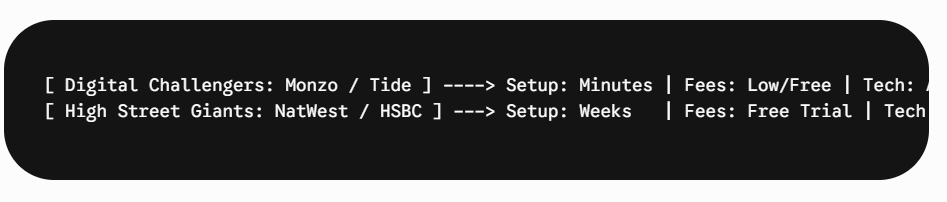
The best business bank account depends on your startup’s needs. Digital challenger banks like Monzo Business and Tide offer the fastest setup speeds and seamless accounting integrations, making them ideal for lean, bootstrapped founders. For startups requiring physical cash deposits or complex international trade features, traditional high-street options like NatWest provide robust, established infrastructure.
Separating your personal and business finances isn’t just a good organisational habit—if you’ve incorporated as a limited company, it is a strict legal requirement. Your company is a distinct legal entity, and its cash must sit in its own dedicated account.
For a bootstrapped startup, you cannot afford to waste capital on high monthly maintenance fees or fight through weeks of bureaucratic paperwork just to get an IBAN.
Here is a side-by-side analysis of the top digital and traditional business bank accounts in the UK.
The Contenders: Digital Challengers vs. High Street Giants
1. Monzo Business (The Best All-Rounder for Tech Integration)
Monzo has seamlessly translated its massive consumer popularity into a highly intuitive business platform.
-
Pricing: Free “Lite” tier available. The “Pro” tier is £5 per month and includes advanced tax pots and invoicing tools.
-
Convenience: App-based signup takes about 10 minutes.
-
Bootstrapper Benefit: The automatic “Tax Pots” feature allows you to automatically channel a set percentage (e.g., 20% for Corporation Tax) of every incoming payment into a separate sub-account. This prevents you from accidentally spending your tax bill.
2. Tide (The Pure-Play Bootstrapper Choice)
Tide focuses exclusively on businesses and handles a massive percentage of new UK company openings.
-
Pricing: No monthly maintenance fees on the basic account. You pay 20p per electronic transaction instead.
-
Convenience: Near-instant account generation. They also offer a bundled service that registers your company with Companies House simultaneously.
-
Bootstrapper Benefit: Incredibly deep integrations with free accounting software like Mettle or standard platforms like Xero and QuickBooks, reducing your admin hours to near zero.
3. NatWest Business (The Best Traditional Option)
If you require a traditional banking relationship or deal with physical cash and cheques, NatWest offers the strongest proposition for early-stage companies.
-
Pricing: Free banking for the first 12 months for startups, reverting to a standard tariff later.
-
Convenience: Requires a more rigorous online application process, often taking a few days to a week for approval.
-
Bootstrapper Benefit: NatWest provides all business account holders with free access to FreeAgent accounting software (which normally costs upwards of £150+ a year).
Side-by-Side Quick Comparison
| Feature | Monzo Business (Lite) | Tide Bank (Free Tier) | NatWest Startup Account |
| Monthly Fee | £0 | £0 | £0 (for 12 months) |
| Transfer Fee | Free | 20p per transaction | Dependent on tariff after 12 months |
| Accounting Software | Manual Export / In-app | Free integrations | Free FreeAgent access |
| FSCS Protection | Yes (Up to £85,000) | Yes (via ClearBank partnership) | Yes (Up to £85,000) |
In-Depth Bootstrapping Tips & Tricks for Business Banking
-
Avoid Hidden FX Fees: If your startup buys software services billed in USD (like AWS, OpenAI, or Slack) or plans to serve international clients, do not use a standard high-street debit card for those transactions. The foreign exchange loading fees will quietly erode your capital. Instead, link a free Wise Business or Revolut Business account to handle multi-currency transactions at interbank rates.
-
Watch Your Credit Rating: During the application process, even digital banks will perform a soft or hard credit check on the company directors. Ensure your personal credit profile is clean before applying to avoid sudden automated rejections.
-
Keep Receipt Capture Automated: Do not wait until April to sort through a shoebox of crumpled receipts. Use your banking app’s instant receipt capture feature. The moment you purchase something on your business card, snap a photo of the receipt via the app notification to attach it instantly to the transaction line.